
Files
Every run writes a folder with a plain text summary, the full numbers, a report you can share and the field data.
The folder is wobbl-out/<part> in the current directory, or whatever you pass to -o. When
wobbl-out/<part> already exists, Wobbl writes wobbl-out/<part>-2, then -3 and so on, so
an earlier run is never overwritten unless you name the folder yourself. Runs started from an
agent go to ~/.wobbl/results/ instead. Paths inside the files are relative to the folder, so
you can move it or commit it.
The files
| File | What it holds |
|---|---|
summary.txt |
the verdict, the confidence and its reasons, every check, the assumptions, the fixes and the image paths in plain text, which is what an agent reads |
report.html |
a self contained report with the heatmaps, which wobbl report --open opens in a browser |
outcome.json |
every number, for scripts |
images/ |
the heatmaps and plots |
result.vtu |
the full stress and displacement field of a strength study, for ParaView or any VTK viewer |
study.json, geometry.json |
the setup and the prepared part, which wobbl fix reads to rebuild the study |
work/ |
solver scratch files such as meshes and CalculiX input and output |
fix-<kind>/ |
one folder per fix applied by wobbl fix --apply, each a full result of its own |
Circuit results also keep the netlist.cir that Wobbl generated.
The images
| Image | Shows |
|---|---|
stress.png |
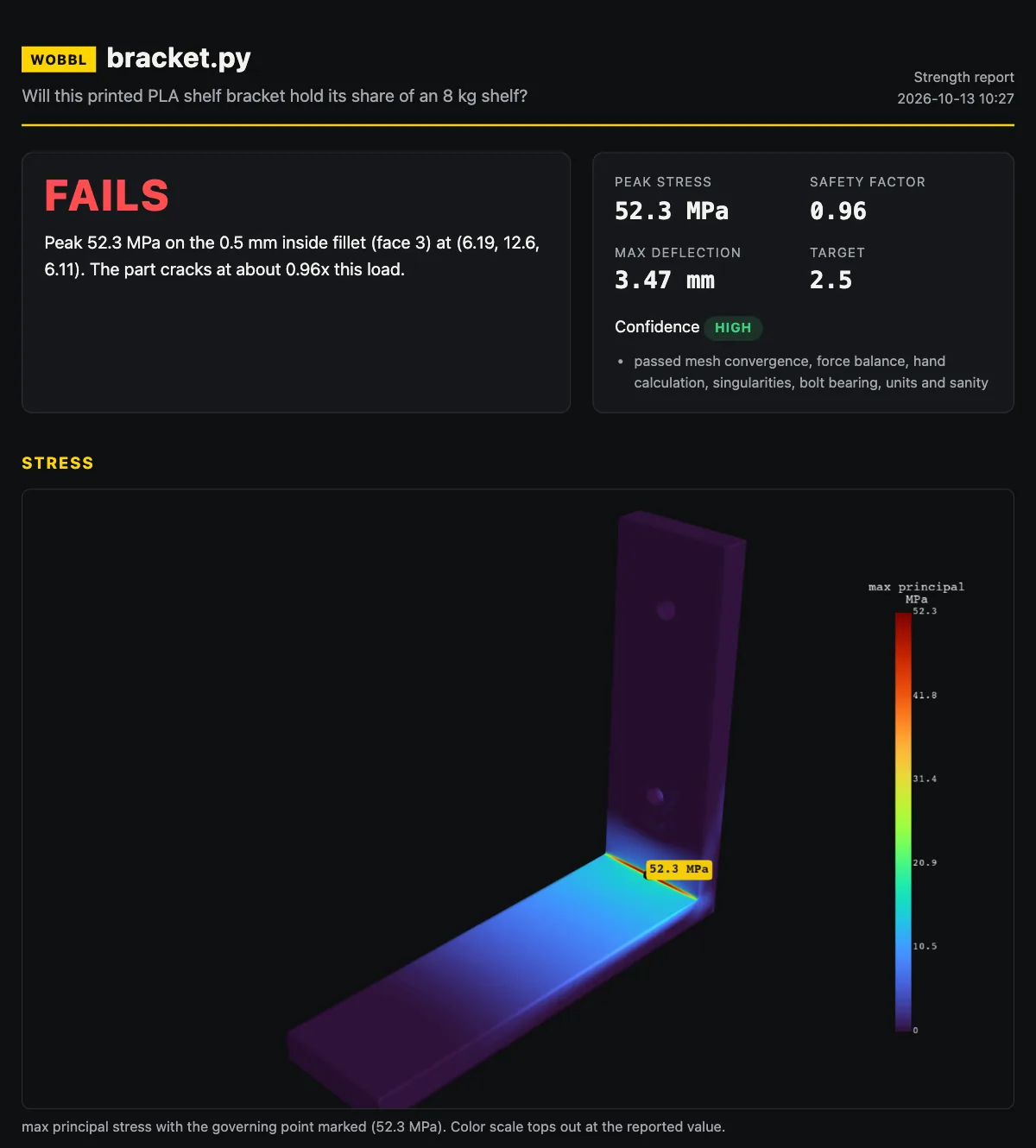
the failure measure over the whole part with the governing point marked, the color scale topping out at the reported value |
zoom.png |
a close up of the governing point |
safety.png |
the safety factor, red below 1 and green where it is comfortable |
deformed.png |
the deflected shape, exaggerated so it is visible |
convergence.png |
the peak stress at each mesh level |
temperature.png |
the temperature map, for heat studies |
history.png |
the hottest point and the average temperature over time against the limit, for transient heat studies |
waveform.png |
the simulated waveform, for circuits analyzed over time |
The report
report.html is one file with the images built in, so you can mail it or attach it to a pull
request. It opens with the verdict and the confidence, then the heatmaps, the checks, the
fixes with before and after images when they were applied, a table of every mesh level with
its node count, element size, stress and solve time, every stress peak Wobbl found with its
value on each mesh and whether it was counted or excluded, the setup and the assumptions.
$ wobbl report [RESULT_DIR] [--open]wobbl report finds the report of a finished run, the newest one under wobbl-out/ when you
give no folder, and --open opens it in your default browser. For a strength result it writes
the report again from outcome.json first, so the page picks up any fixes applied since the
run, and for heat and circuit results it opens the existing report as it is.
outcome.json
This is the full result with the units in the key names, and these are the keys an agent or a script uses most.
| Key | Holds |
|---|---|
verdict, headline |
holds, marginal or fails, and the one sentence summary |
governing_MPa, governing_where, governing_xyz |
the reported stress and where it is |
safety_factor, target_sf, allowable_MPa |
the margin and what it is measured against |
max_disp_mm, max_disp_xyz |
the largest deflection |
confidence, confidence_reasons, checks |
the level, its reasons and every check with its status and details |
hotspots |
every stress peak with its value on each mesh and whether it was excluded |
levels |
each mesh level with nodes, element sizes, stress and timing |
fixes, assumptions, images, report |
the suggestions, the assumptions and the file paths |
Heat and circuit results share the verdict, headline, confidence, checks, assumptions and file
keys, show their main figures under metrics and keep their own numbers under values, such
as t_max_C and time_over_limit_s for heat.
result.vtu
This file holds the field data from the finest mesh, with displacement_mm, the full stress tensor as
stress_MPa, von_mises_MPa, max_principal_MPa, failure_measure_MPa and excluded_zone
on every node. The tensor is stored in VTK’s order for a symmetric tensor, xx, yy, zz, xy, yz
and zx, so ParaView reads it as one field. excluded_zone marks the regions that were set
aside as singular, so you can see exactly which spots the answer ignores.